Dexi keeps everything you read in one place.
Notes, bookmarks, newsletters and feeds become one searchable workspace — so what you learn resurfaces when you need it, instead of getting lost in tabs.
Free for 1,000 notes · No credit card · Coming from Pocket?
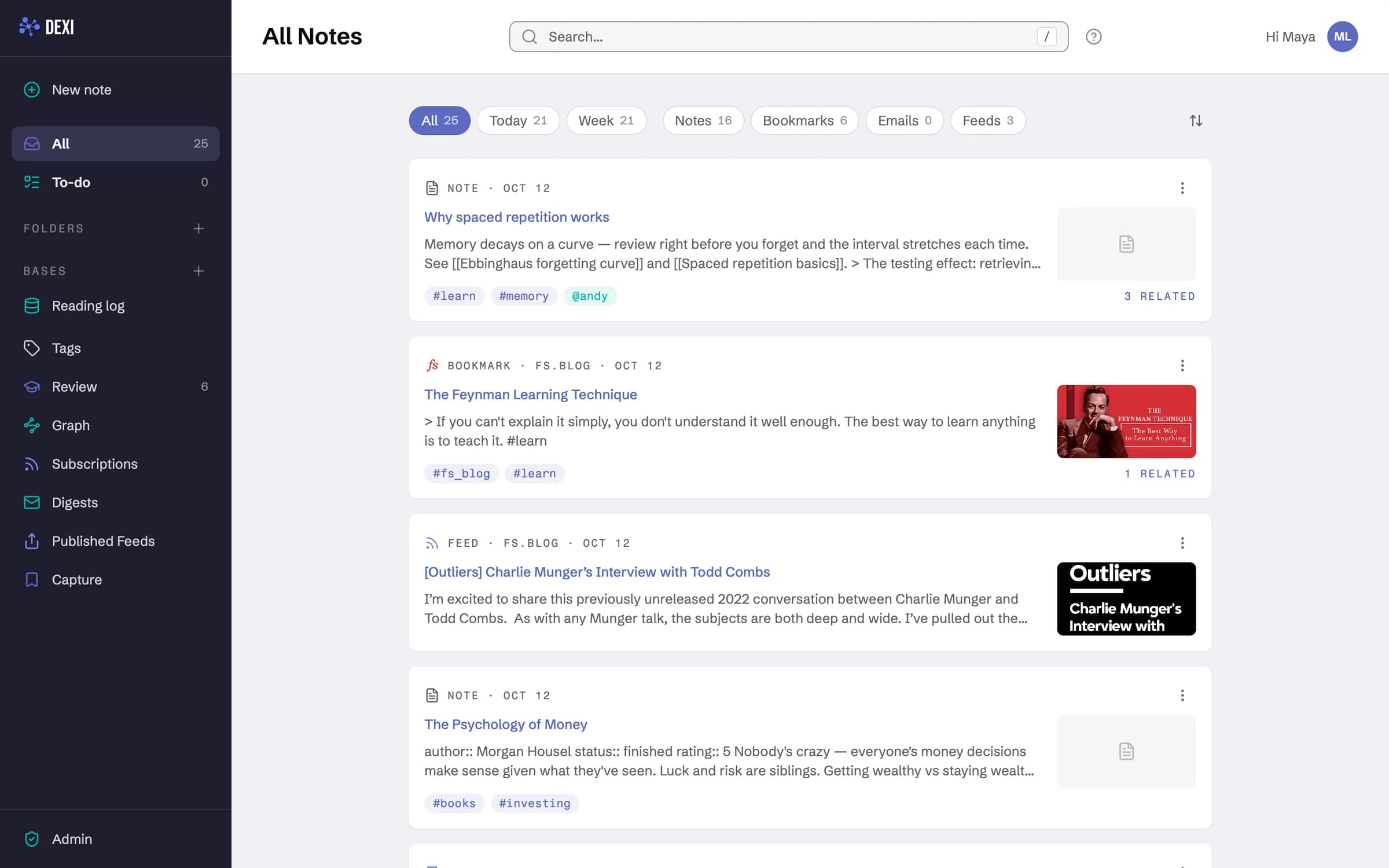
From scattered tabs to a system
Dexi is built around one simple loop: capture without friction, connect as you write, and let your past research find you.
Capture. Save it from wherever you already are
Notes, bookmarks, emails and feeds flow into one place. Highlight a passage on any page and it lands in the note for that page, quoted and tagged.

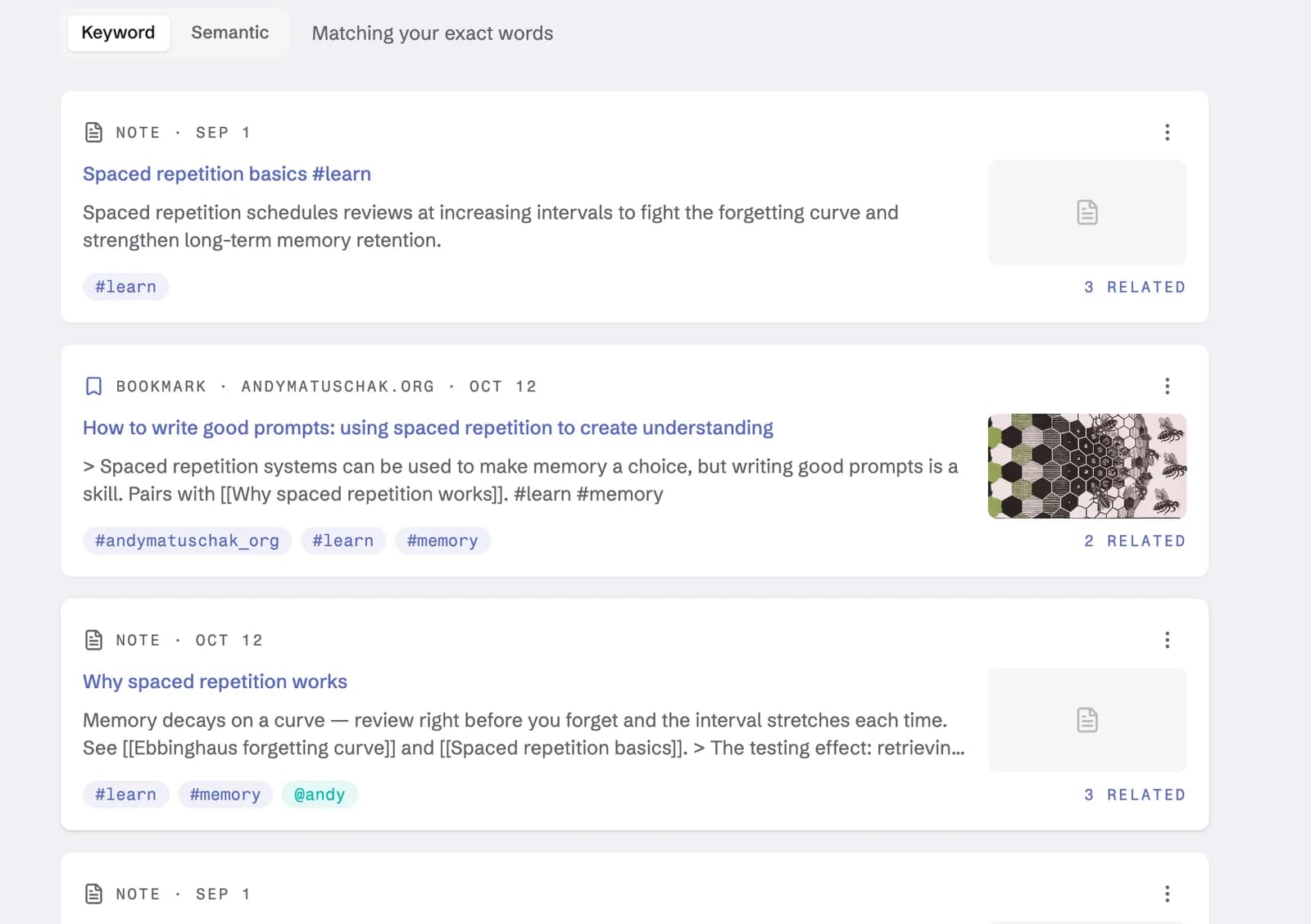
Connect. Structure emerges from writing
Tags, mentions and backlinks weave every new idea into what you already know. Type #learn, @andy or [[Zettelkasten]] and the connections are made — no folders, no filing.
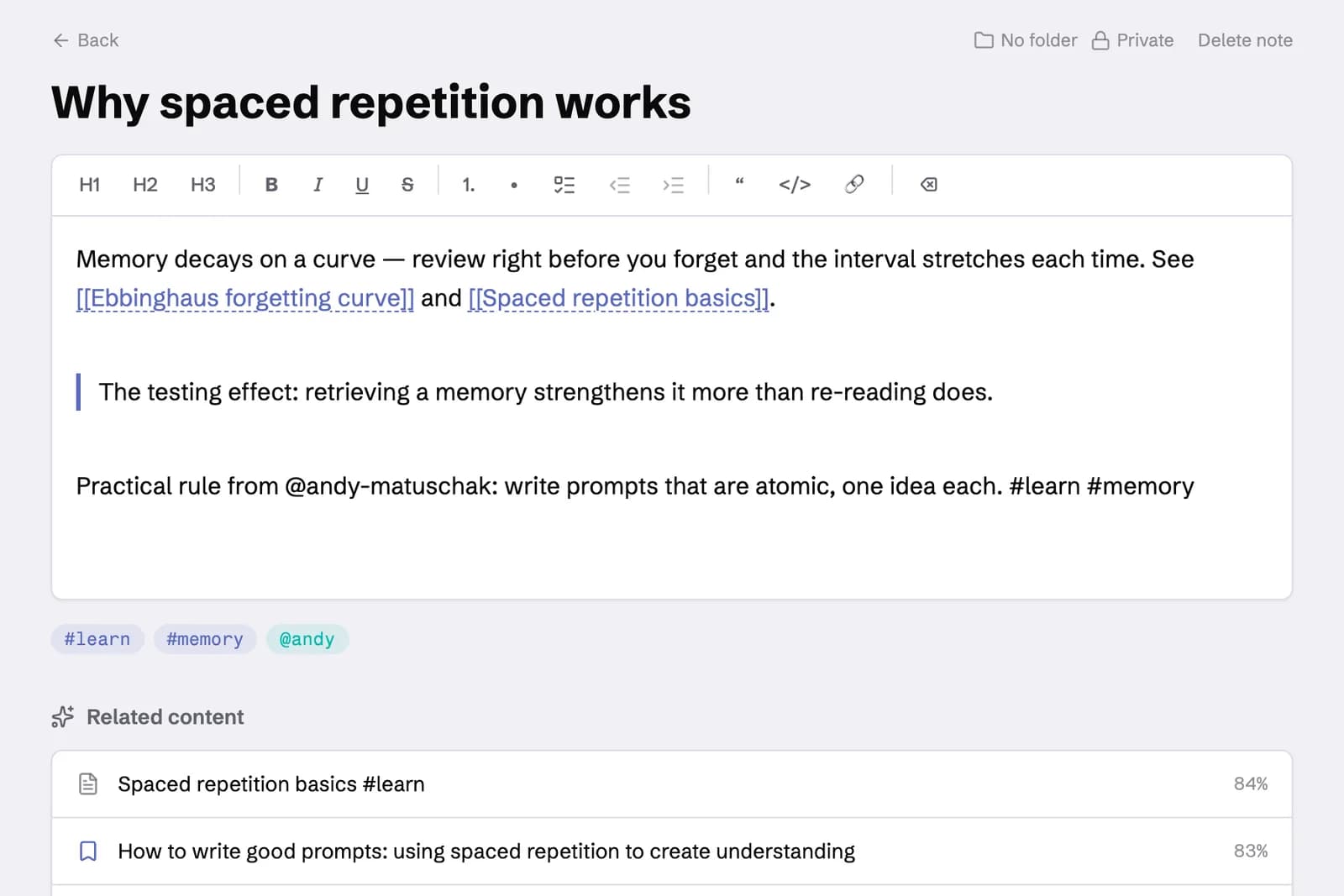
Distill. The right idea resurfaces at the right moment
Search by keyword or by meaning, follow related notes, or walk the knowledge graph. What you saved months ago is one query away.
Share. Publish when it's ready for an audience
Turn a tag into a scheduled email digest, or publish a curated feed of your research for anyone to subscribe to.
- Why spaced repetition worksNote · 3 related
- The Feynman Learning Techniquefs.blog · highlight saved
- How to write good promptsandymatuschak.org
Sent every Sunday at 9:00 · from your tag-filtered notes
Turn interests into insights
Everything you collect lives in one workspace — tagged, cross-referenced and searchable, so nothing you learn gets lost.
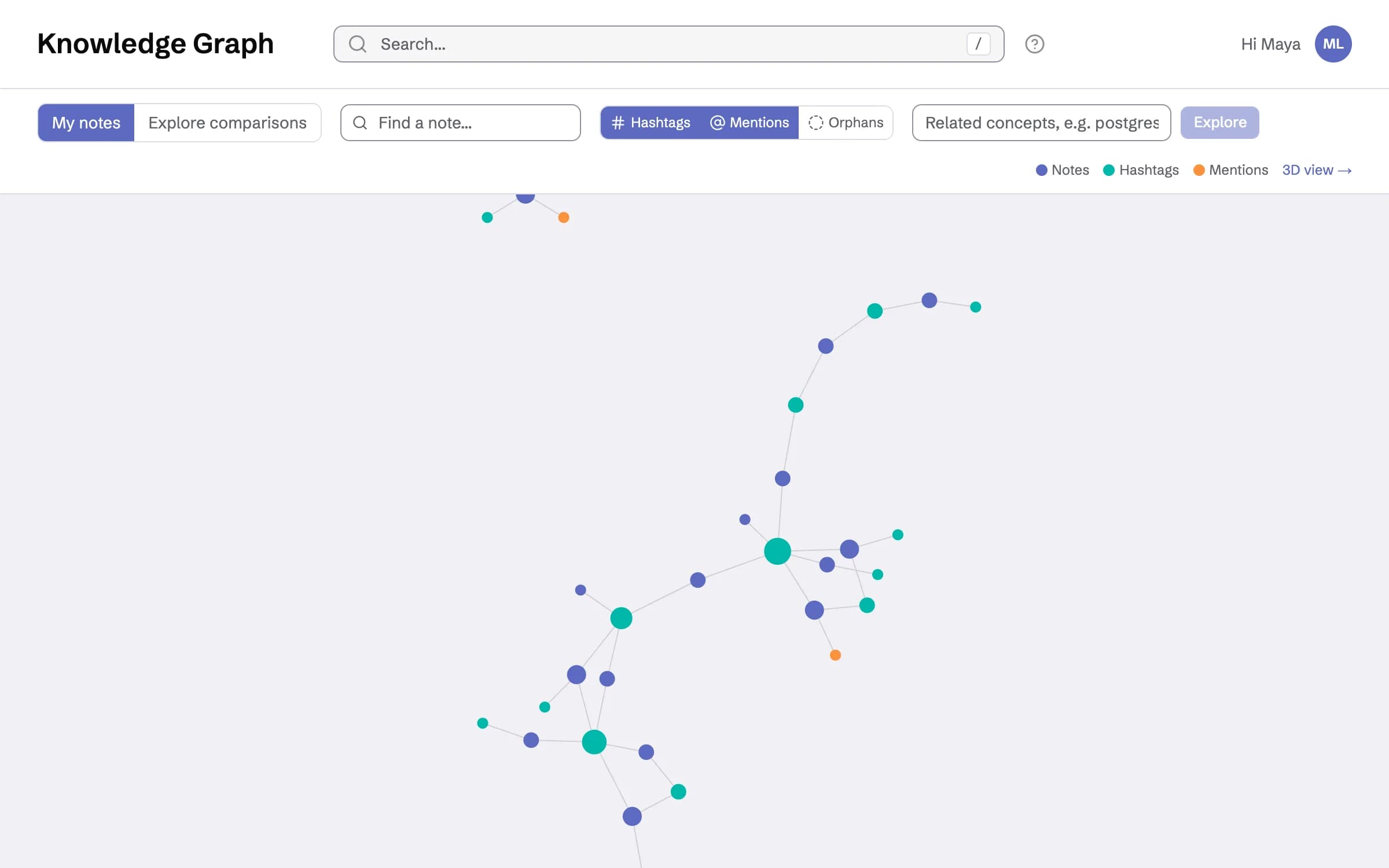
Your knowledge, mapped
Every tag and backlink builds a private knowledge graph. Traverse related concepts in 2D or 3D and surface unexpected connections.
A table when you want one
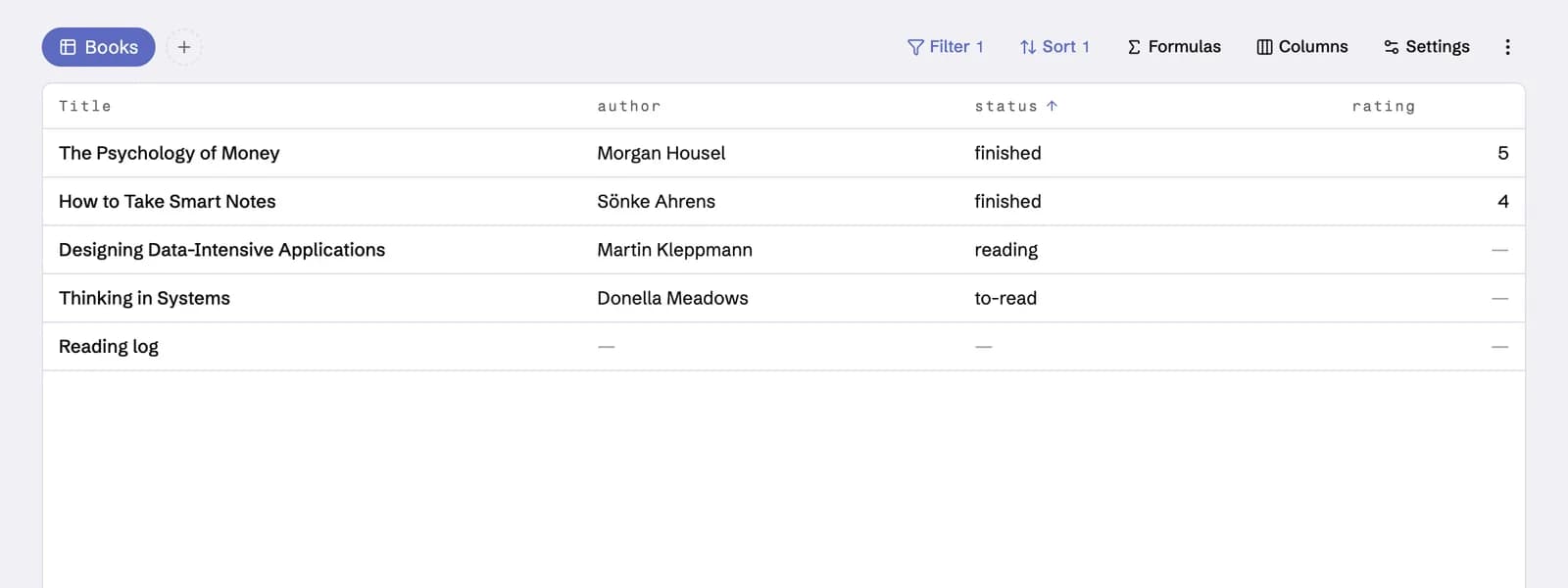
Type status:: reading or due:: 2026-09-10 in a note and it becomes a property. A base turns the notes that match a filter into a saved table, card, list or map view with formulas, grouping and summaries — and Obsidian .base files import directly. Properties and bases →
Remember what you read
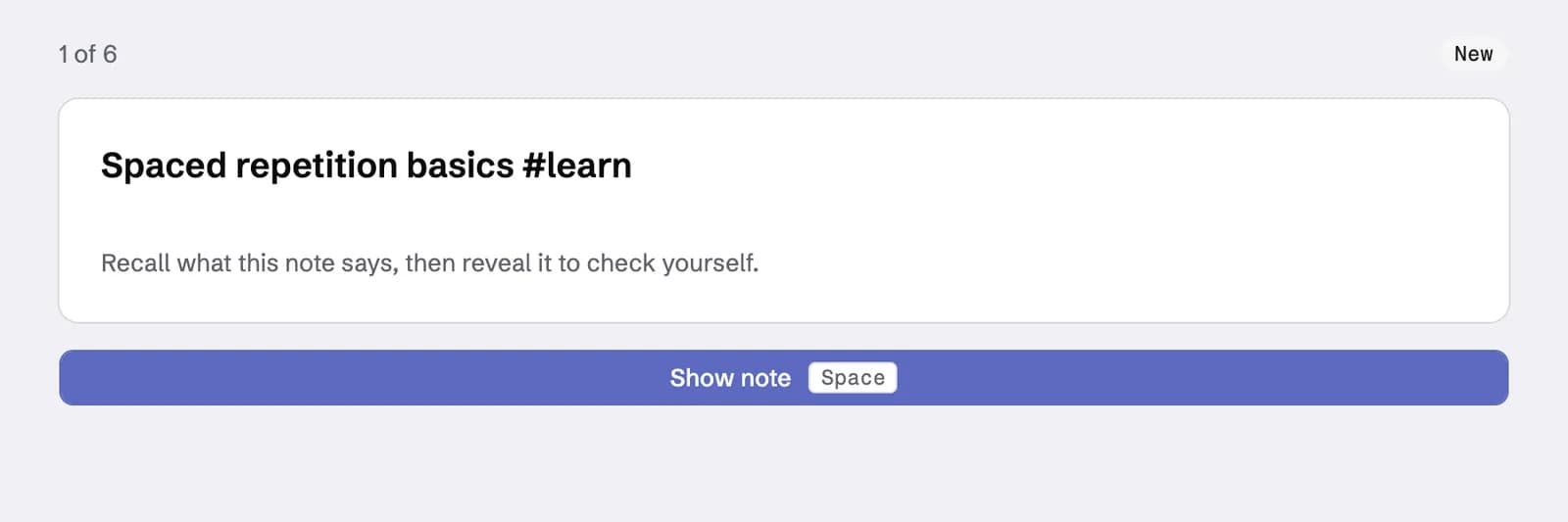
Tag a note for review and it joins a spaced-repetition deck. Dexi quizzes you on it and reschedules each card as you recall it, so what you save actually sticks.
Organized as you write
Tag content with @mentions and #hashtags while you type. Structure emerges from writing, not from filing things away.
Full-text, everywhere
Search by keyword, by exact pattern — phrases, OR, exclusions, even /regex/ — or by meaning, with semantic search that finds notes when you can’t recall the words.
Save any page in a click
Capture pages with the web clipper extension (Chrome, Brave, Arc, Orion, Vivaldi) or bookmarklet, or import your existing bookmarks from Chrome, Pocket or Raindrop — titles, favicons and notes included. The bookmark manager →
Forward it, file it
Send anything to your Dexi address and it lands as a note — newsletters, receipts, ideas — filed and instantly searchable.
Feeds in, feeds out
Subscribe to RSS sources, receive tag-filtered digests on your schedule, and publish curated feeds of your own research.
Share a note, not a workspace
Invite teammates and share individual notes with a toggle. Shared notes join their search and bases; everything else stays yours.
Three things. Your note from Patrick Campbell's talk says to price on the metric that grows with the customer's value, not seats — and that two months free is the standard annual anchor.
You also bookmarked “You can probably stand to charge more” and left yourself a reminder to revisit it. Want me to add a to-do to the newsletter relaunch note?
The context your assistant is missing
Out of the box, an AI assistant knows nothing about you. Connect it to Dexi and it works from what you've actually read and saved — your notes, bookmarks, newsletters and feeds — instead of answering from thin air.
- Ask
- “What did I save about pricing strategy?” — answered from your own reading, not the internet's average.
- Write
- Thoughts land as tagged notes while you work — #hashtags and @mentions file themselves.
- Review
- It quizzes you on your review deck and reschedules each card as you recall it.
- Control
- You decide what each app may touch — everything, a single folder, or a single tag. Notes are fetched only when you ask, and Disconnect in Settings ends access instantly.
Questions, answered
What is Dexi?
Dexi is a personal knowledge management app — a lifelong learning system that keeps your notes, bookmarks, newsletters and RSS feeds in one searchable workspace, with semantic search, a private knowledge graph and an MCP server for AI assistants. It is built by a small independent team and has been in continuous development since 2020; dexi.net is its official home.
Is Dexi free?
Yes, to start: the Free plan holds up to 1,000 notes, no credit card required. Solo is $5/month for unlimited notes, and Team is $10 per member/month for shared notes and team-wide search. Yearly billing gets you two months free.
Does Dexi work with ChatGPT and Claude?
Yes. Dexi’s MCP server connects Claude, ChatGPT, Cursor and other assistants to your workspace, so they answer from what you have actually read and saved. You decide what each app may touch — everything, a single folder or a single tag — and Disconnect in Settings ends access instantly.
Can I bring my bookmarks from Pocket?
Yes. Dexi imports your existing bookmarks from Pocket, Chrome or Raindrop — titles, favicons and notes included — and the web clipper extension (Chrome, Brave, Arc, Orion, Vivaldi) or bookmarklet saves new pages in a click.
Is Dexi the same as dexi.io?
No. Dexi at dexi.net is a knowledge app for notes, bookmarks and feeds. It is not affiliated with dexi.io or any other company using the Dexi name.
Start building your knowledge graph
Free to get started. Your notes, bookmarks and feeds — finally in one place.
Create your account